
Why No Feedback? and Scene Overview
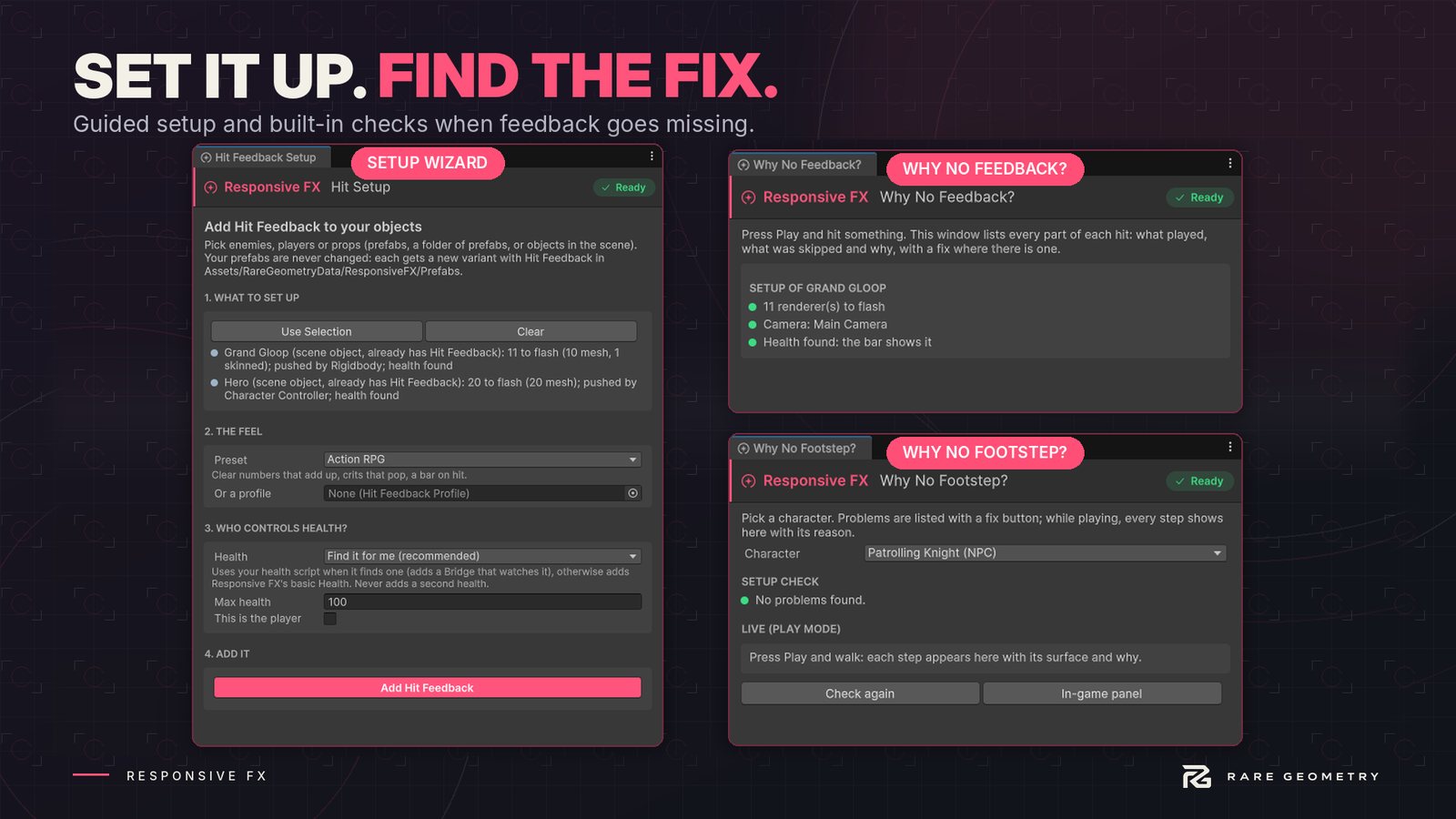
Why No Feedback? #
Tools > Responsive FX > Why No Feedback? (also the button in the Hit Feedback inspector).
In Play Mode it shows the selected object (or the last one hit) with its eight most recent hits. For each hit: the kind, amount, profile and strength, then every part (number, flash, hitstop, camera shake, knockback, squash, health bar, sound, particles, kill moment) as played or skipped, with the reason in plain words. The latest hit has a one-click fix where there is one:
| Reason | Fix |
|---|---|
| Off on this object | Use Profile for that part |
| No camera (tag one MainCamera) | Tag the camera as MainCamera |
| No health to show | Add Health |
| Nothing to push | Add Rigidbody (or turn on Move Transform) |
| Static batched: can't flash | Turn off Batching Static |
| Juice is at zero | Set the master Juice to 1 |
| No sound clip set | Select the profile to add clips |
| No mesh or sprite renderer found | Select the object |
Expected reasons (not problems) are shown in blue: "Not used by this kind of hit" (a heal has no knockback), "Not the killing hit", "Off in the profile", "Off: Reduce Motion is on", "Waiting for the cooldown".
It also catches hits sent to an object that has no Hit Feedback at all ("Goblin was hit but has no Hit Feedback") with an Add Hit Feedback button.
Before Play it checks the selected object's setup: renderers to flash, a camera, health, static flags.
Scene Overview #
Tools > Responsive FX > Scene Overview lists every Hit Feedback in the open scenes with its preset or profile, what it found (renderers, what pushes it, Animator, health) and any problems, plus the player feedback, screen bars and the camera. Click a name to select it.
From code #
hitFeedback.LastReport, GetReport(i), HitReport.Reason(effect), HitReport.Describe(reason) and HitReport.Fix(reason)
give you the same information for your own logs or tools.