
Demo scenes
Open them from Tools > Responsive FX > Demos. They play with keyboard and mouse or a gamepad, with either input system.
The Showcase and 2D demos have a Make it yours panel (M or Tab shows and hides it). Every change applies to every enemy at once, including the next wave: a banner names the new look and the enemies on screen take a test hit so you see it straight away. Hit all (or H) plays a test hit whenever you like. You can change the preset (keys 1 to 7), the number style (Classic, Arcade Punch, Fantasy Relic, Tactical Clean), how numbers show, move and are written, their colour and size, the timing (All at once, Impact first, Heavy blow: the Hit Recipe Studio's starting points), the flash mode and colour, hitstop and its length, shake, squash, sparks, when the bar shows, the Juice and the accessibility settings. The Feature Gallery shows the seven presets side by side instead, with its own panel for the kind of hit a click plays.
Showcase: the arena #
A knight in a ruined stone ring in the forest: three waves of slimes, then the Grand Gloop with a boss bar. Move with WASD or the left stick, swing your sword with the left mouse button, J or the gamepad's west button. It shows every part of a hit together: numbers that combine, the flash on a skinned slime, hitstop, camera shake and punch, knockback, squash, floating bars, sounds, sparks and the kill moment. When a slime hits you, you see the player side: the red vignette, an arrow pointing at it, your HUD bar draining, and rumble on a gamepad.
Keys 1 to 7 switch every enemy to another preset while you play.
Feature Gallery #
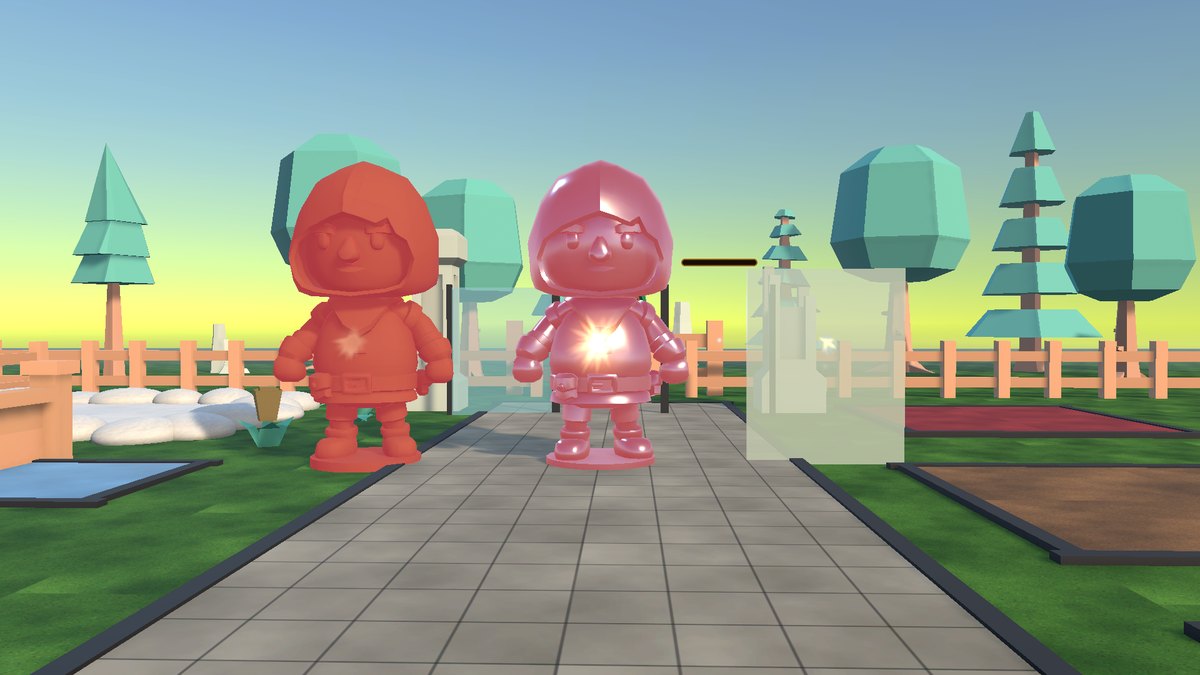
Seven training dummies, one per preset, hit automatically so you can compare them side by side. Click a dummy to hit it yourself; the panel picks what a click plays (hit, critical, heal, shield, block, miss, poison, a status word, or a killing blow). The accessibility settings (Reduce Motion, flash safety, colour-blind safe colours, text size) and the Juice slider are on the panel too.
2D Side View #
A side-view level with sprites and Rigidbody 2D. A/D or the arrows to move, Space to jump, click, J or the west button to swing. Sprite flash, 2D knockback, squash and stretch on sprites, and the player HUD bar.
What the demos use #
Everything in the demos is our own work except the hit sounds, which come from Kenney's Impact Sounds and RPG
Audio (CC0; see Third-Party Notices.txt). The demo scripts (Samples/Scripts) are examples only: your game uses its
own movement, combat and input.