
Response Graph
Surface rows cover almost everything. The Response Graph is for the special cases a row cannot say: "a critical hit on metal also rings a bell and is twice as loud to guards", "a bullet into anything wet adds a splash".
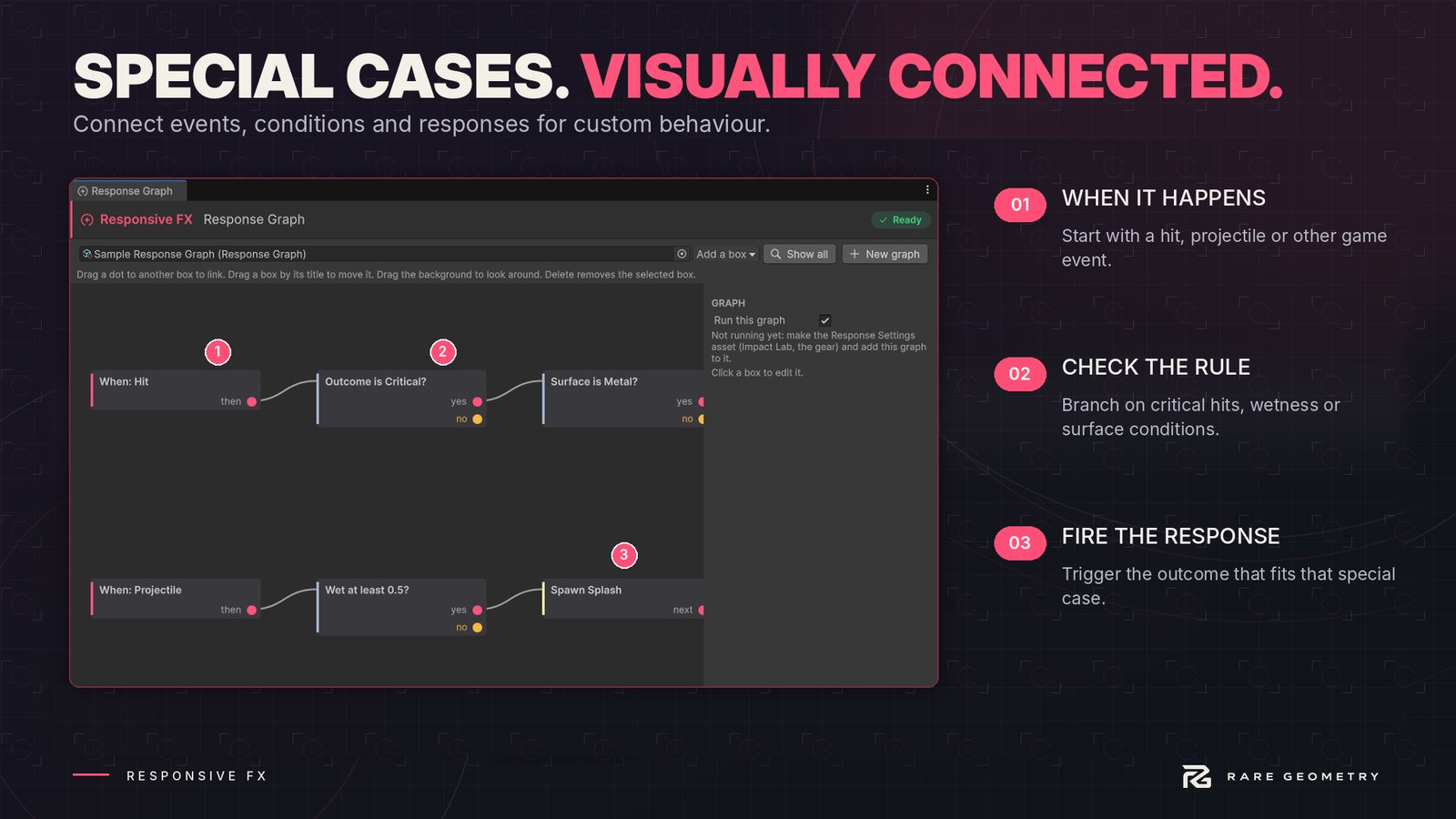
Make one #
- Tools > Responsive FX > Response Graph, then New graph.
- Add boxes with Add a box, drag a dot onto another box to link them, drag a box by its title to move it.
- Add the graph to the Response Settings (Impact Lab, the gear, Response Graphs). A graph that is not listed there does not run.
A graph runs once for each contact, from its When boxes.
The boxes #
Starts
- When contact: runs for the kinds you tick (Hit, Projectile, Collision and so on).
Questions (two ways out, yes and no)
- Outcome is: critical, kill, blocked, parried, guard broken, staggered, armoured, immune, missed, shielded, healed.
- Surface is: the surface the contact landed on.
- Made of is: what did the touching (a Blade, a Boot).
- Intensity at least: how hard it was.
- Tag is: the contact's own tag, for Custom kinds.
- Condition at least: how wet, how snowy, where it landed.
- Chance: yes this often.
- Target has tag, Source has tag: Unity tags.
Actions (one way out, to what happens next)
- Play sound, Spawn effect, Leave mark: on top of the surface's own answer.
- Make noise: scales how far AI hears this contact.
- Scale intensity: makes the surface's own answer harder or softer.
- Show word: a word over the target, like a damage word.
- Raise signal: hands a name to your code.
- Stop default: the surface's own answer does not play; only the graph's does.
- Play feedbacks: plays a saved Feedback Sequence at the contact: a shake, a flash, slow motion, anything a Feedback Player can do.
ResponseGraph.Signal += (name, contact) => { if (name == "metal-critical") bell.Play(); };
Good to know #
- A graph runs after the surface is found, for single contacts (not for the updates of a lasting slide or roll).
- A graph cannot loop for ever: it stops after a fixed number of boxes.
- The Event Trace shows how many graph actions ran for each contact.
- The Samples folder has a small worked example (critical on metal; a bullet in the wet).