
Objective trails, events and saving
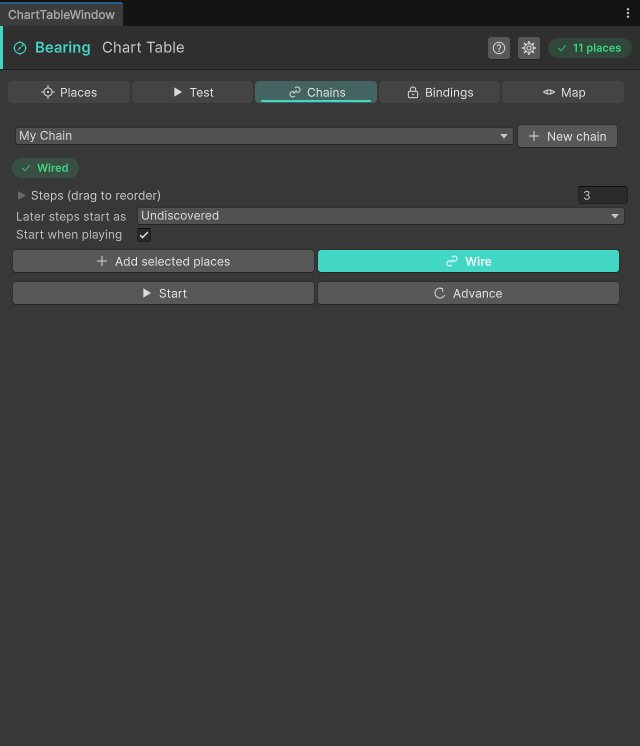
A trail of objectives #
The quickest way is an objective chain in the Chart Table: select the places in order, press New chain, then Wire. By hand:
- Put a Waypoint on each step.
- On each one set Reach Radius (for example 6), When Reached to Done: show the next waypoint, and Next to the following step. On the last one pick Done: mark it completed.
- Set the first one's State to Active (the objective).
When the player reaches a step, it becomes Completed (dimmed with a check on the minimap and map) and the next one switches on and becomes the objective. The Showcase and Chart Table demos are built this way.
Events #
Every Waypoint has On Reached and On Left (UnityEvents in the inspector) and the C# events Reached and Left.
Use them to open doors, start dialogue, give rewards or update your quest log.
Groups #
Give waypoints a Group ("Shops", "Enemies") and show or hide them together:
WaypointRegistry.SetGroupVisible("Shops", false);
Saving #
WaypointSave remembers which waypoints are on, reached and their state (Undiscovered, Discovered, Active, Completed, Hidden), as a short text for your own save system:
string text = WaypointSave.Capture();   // when saving
WaypointSave.Restore(text);             // after the scene loads
Each Waypoint has a Save Id, filled in for you. If you duplicate a waypoint, the scene check offers a new id.