
Players on the map: pins, stamps, tracking and fast travel
Players can mark the map, track places and fast travel, as far as you allow. You decide with one asset.
Player Map Permissions #
Create > Bearing > Player Map Permissions (or Chart Table > gear > What players may do on the map), then give it to the Waypoint HUD (What players may do). With none, the Open World preset applies. Split screen: each player's HUD can have its own.
| Preset | Players may |
|---|---|
| Guided Story | Look, filter and track. No marks of their own, no fast travel. |
| Open World (default) | Place pins (5) and stamps (100), choose their icon, colour and name, move and delete them, track, filter, fast travel to discovered travel points after a confirm. |
| Survival Cartographer | Everything, with notes, 10 pins and 300 stamps. |
Every switch and limit can be changed after picking a preset: pins and stamps on or off and how many, the icons and colours players may pick from, renaming and the longest name, notes and the longest note, moving and deleting, filters (and categories players may not hide, such as Quest), tracking (objectives, places, their own marks), fast travel (off, unlocked travel points, any discovered place) and its confirm, seeing undiscovered "?" places, and changing settings. Players can never edit or delete your own places.
Pins and stamps #
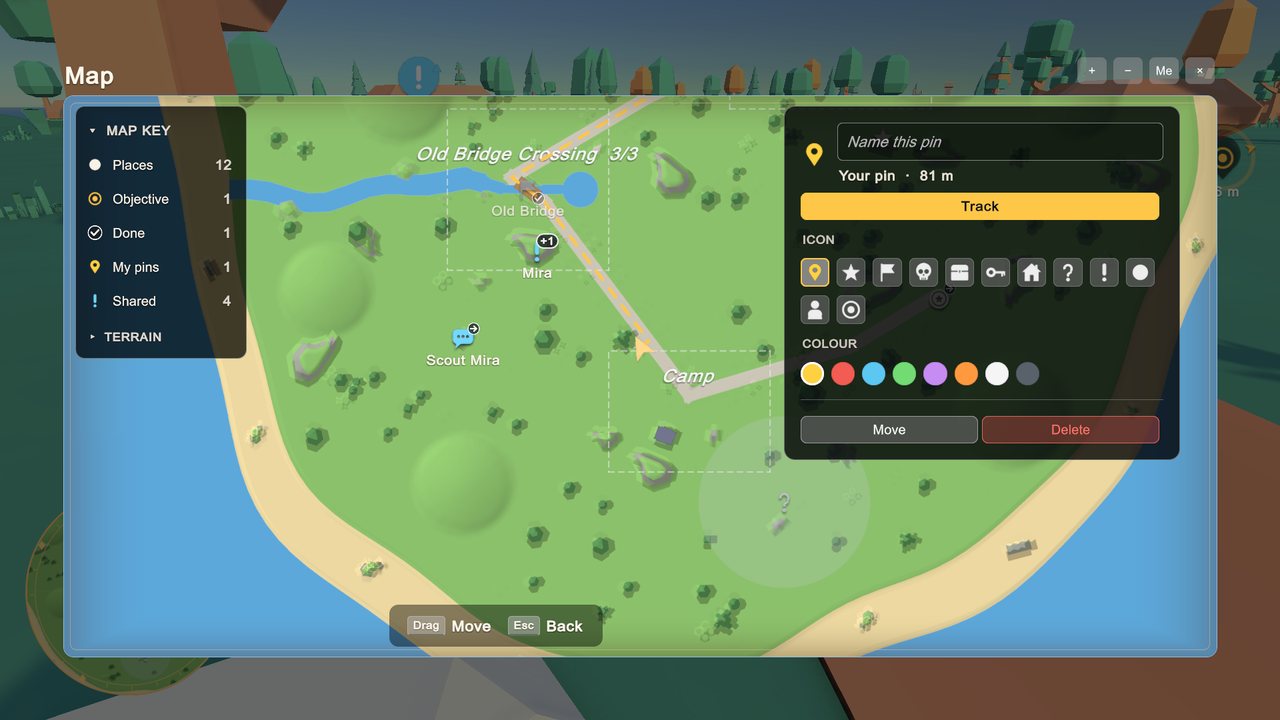
- Pins are few and show everywhere (screen, compass, minimap, map): for getting somewhere.
- Stamps are many and show on the map only: for remembering things.
On the full-screen map, click an empty spot and pick Pin or Stamp. Click a mark to open its card: icon, colour, name, note, Move (the next click puts it there) and Delete, each only when allowed. At the limit, a new mark replaces the oldest of its kind. Marks are listed in the legend as "My pins" and "My stamps", so they can be hidden.
From code: PlayerMarks.Add, AddOnMap, SetIcon, SetColour, Rename, SetNote, Move, Remove, Clear, All,
Count, IsMark, MarkOf; events Changed and Refused (action, reason).
The gamepad's place button keeps placing the single quick marker (WaypointPlayerPin) on an empty spot, and selects
places (pressing it again on a travel point asks to travel).
Tracking #
The place card has Track for places players may track: the place joins the tracker and becomes the route's target
(when the scene has a Waypoint Route). Tracking another place stops tracking the last. From code: hud.Track(place),
hud.Untrack(), hud.TrackedPlace, hud.CanTrack(place).
Fast travel #
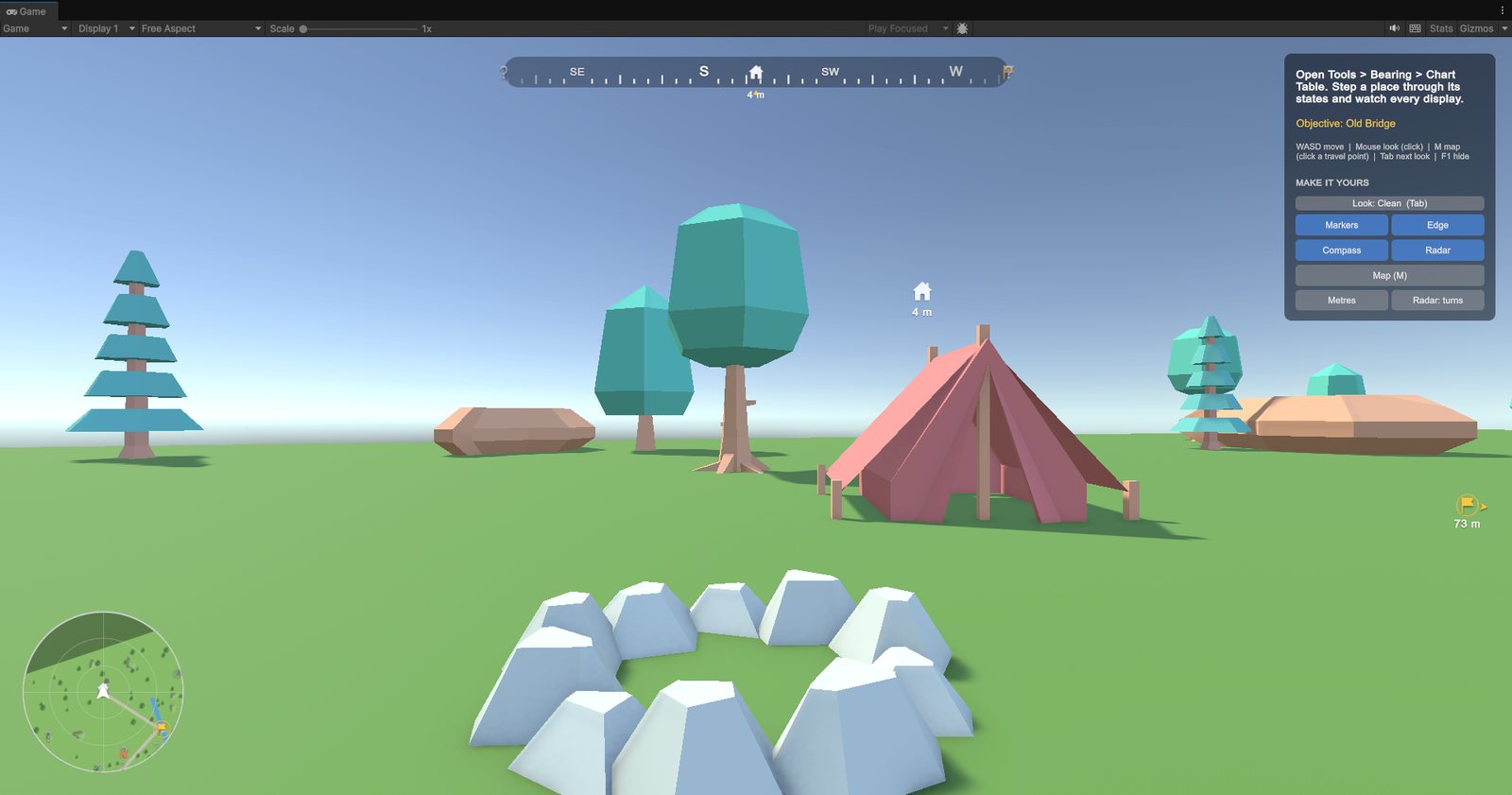
The place card shows Fast travel with the reason when it can't be used now: "Discover it first", "Fast travel is
off", or your game's own reason. Your check: hud.FastTravelCheck = place => inCombat ? "Not while fighting" : null;
(costs and cooldowns work the same way). With Confirm Travel on, the button asks "Travel to Camp?" first. Your game
still does the move (hud.FastTravelRequested, the place's On Fast Travel Requested). From code: hud.TravelStatus,
hud.CanTravelTo, hud.TravelTo.
Travel points that do the whole job #
The place inspector's Make it a travel point adds a Waypoint Travel Point with an Arrival spot in front of the place. It then:
- opens when the place is discovered, when another place is completed ("Light the lighthouse first."), or when your
game calls
OpenNow(); - shows its Locked Reason on the card until then;
- asks your cost or cooldown check:
WaypointTravelPoint.Check = p => gold < 50 ? "Costs 50 gold" : null; - moves the player to the Arrival (Character Controllers and Rigidbodies handled) and closes the map. Turn Move Player off to do the move yourself (a scene load, a fade) in On Travel.
Reduced motion #
WaypointAccessibility.ReducedMotion = true; makes every reveal animation an instant change and stops pulsing. Put it
in your options menu.
Saving #
WaypointSave (format 4) and the shared save keep the player's pins and stamps (with icon, colour, name, note and
tracking) and Reduced Motion.