Coming soon
Coming soon to the Unity Asset Store
Photoworthy
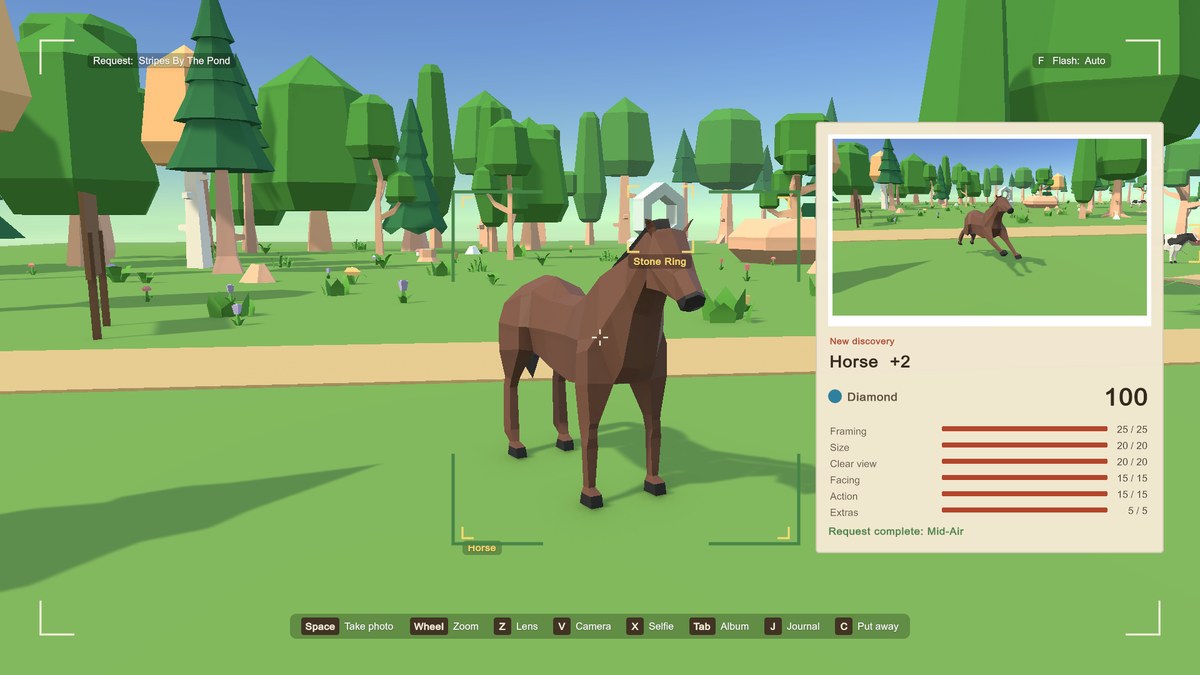
A photo mode and photography gameplay in one kit. The camera knows what is in every photo, scores it with reasons players can read, and lets a photo complete quests, fill a journal or make anything happen.
- Unity 6000.0.85f1+
- Built-in, URP & HDRP
- No dependencies
- Full C# source
How it works
A first photo in three steps
-
Add the camera
Open the Photo Studio and press Add Photo Camera. It borrows your game's own camera and hands it back exactly as it was.
-
Make things photographable
Select any objects and press Make Selected Photographable. Each gets a name, a journal section and, if you like, behaviours to catch.
-
Press Play
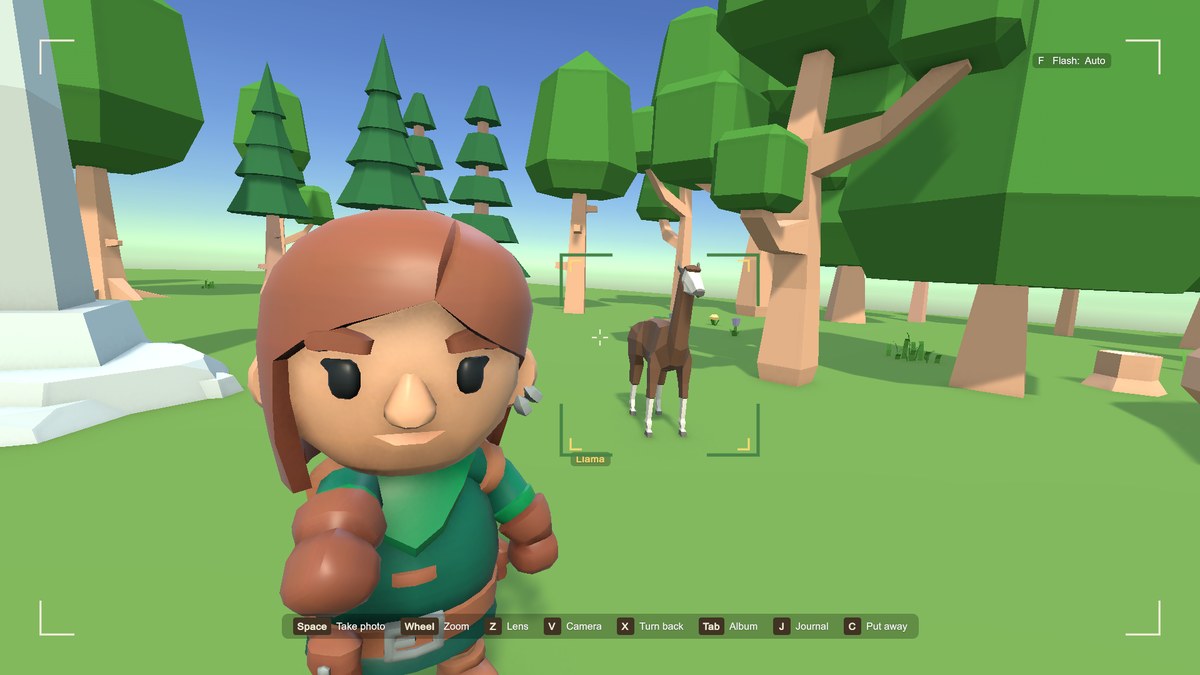
C raises the camera, V switches the camera body, Z the lens, X turns it round for a selfie and F is the flash. Space takes the photo. Tab opens the album, J the journal and P the photo mode.
Features
A photo is an event. You decide what it means.
The camera knows what it sees
Recognition- What is in the picture: which subjects, how much of each is in frame, how much of the picture it fills.
- What is in the way: a subject behind a wall counts as hidden, and the photo says so.
- What it was doing: one line from your own code or an animation event tells a subject it is jumping, eating or asleep.
Two cameras, one component
- A handheld camera with zoom, steady aim, film and bursts
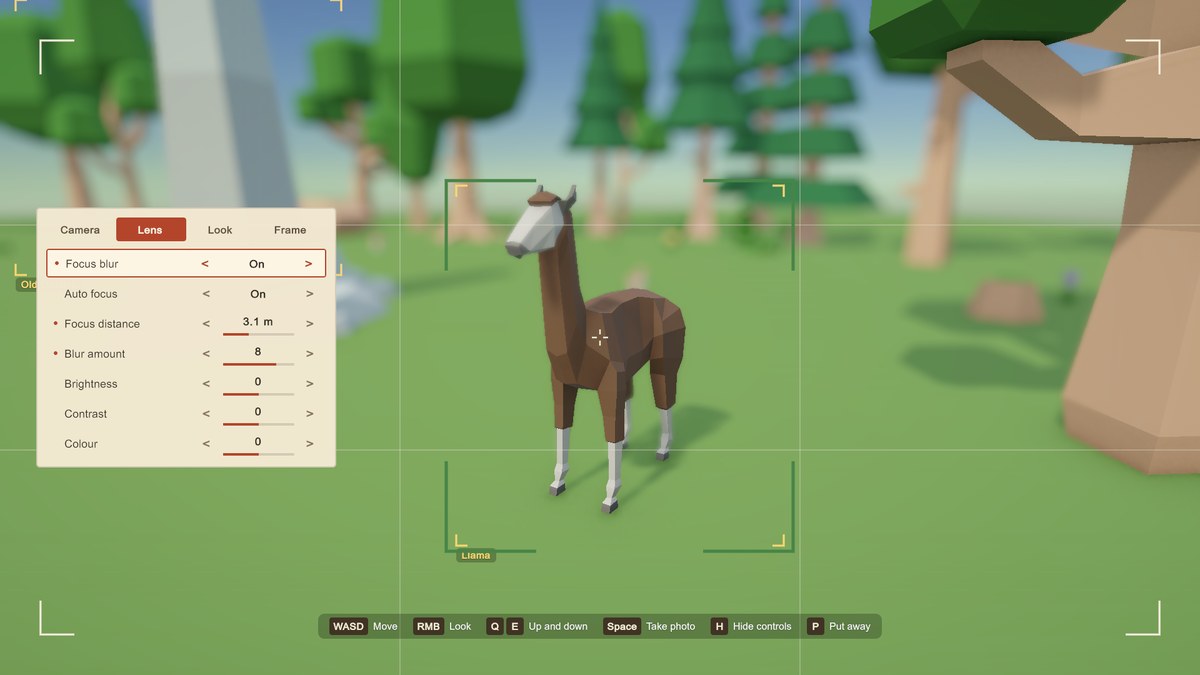
- A photo mode: fly or orbit, focus blur with auto focus, filters, frames, guides, a timer, viewpoints and picture shapes
- The same lens effects in Built-in, URP and HDRP
- Works with any controller; your camera is only borrowed
Eight cameras to look through
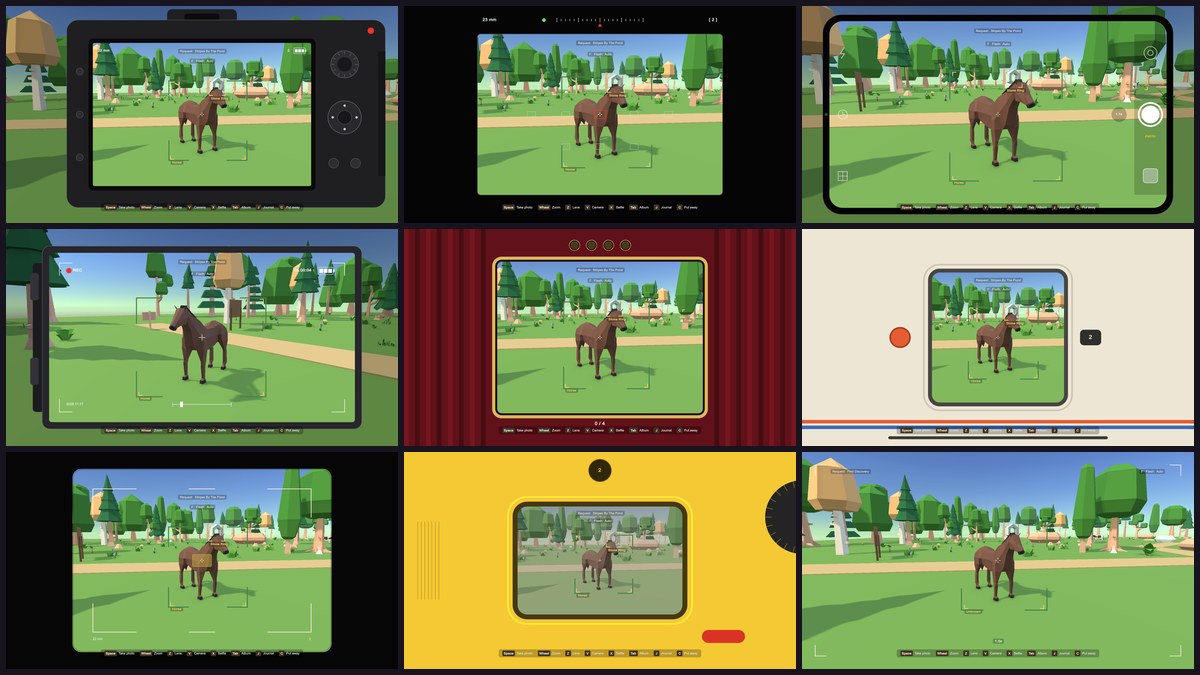
- SLR viewfinder, camera back, phone, camcorder, instant camera, rangefinder, disposable and a photo booth
- Players switch between them while the camera is up
- Each has its own window, picture shape and lens; the saved photo is exactly what its window shows
- Recolour them, or use your own artwork
Cameras with character
- Instant prints that develop, a photo booth that prints a strip of four
- A real flash that lights the saved picture: Auto, On or Off
- Lenses to swap (wide, standard, telephoto), with locked ones to earn
- Selfies: one key turns the camera round to face the player
- Focus lock, a date stamp, each body's own shutter sound, and match a shot
Scores players can read
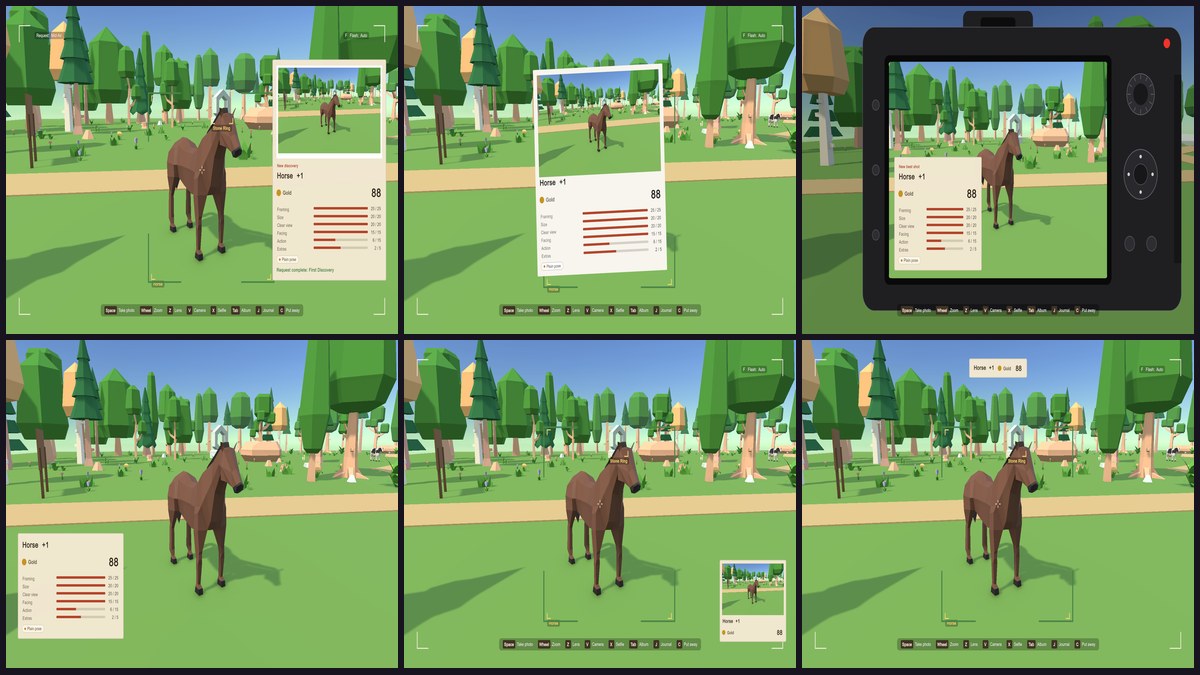
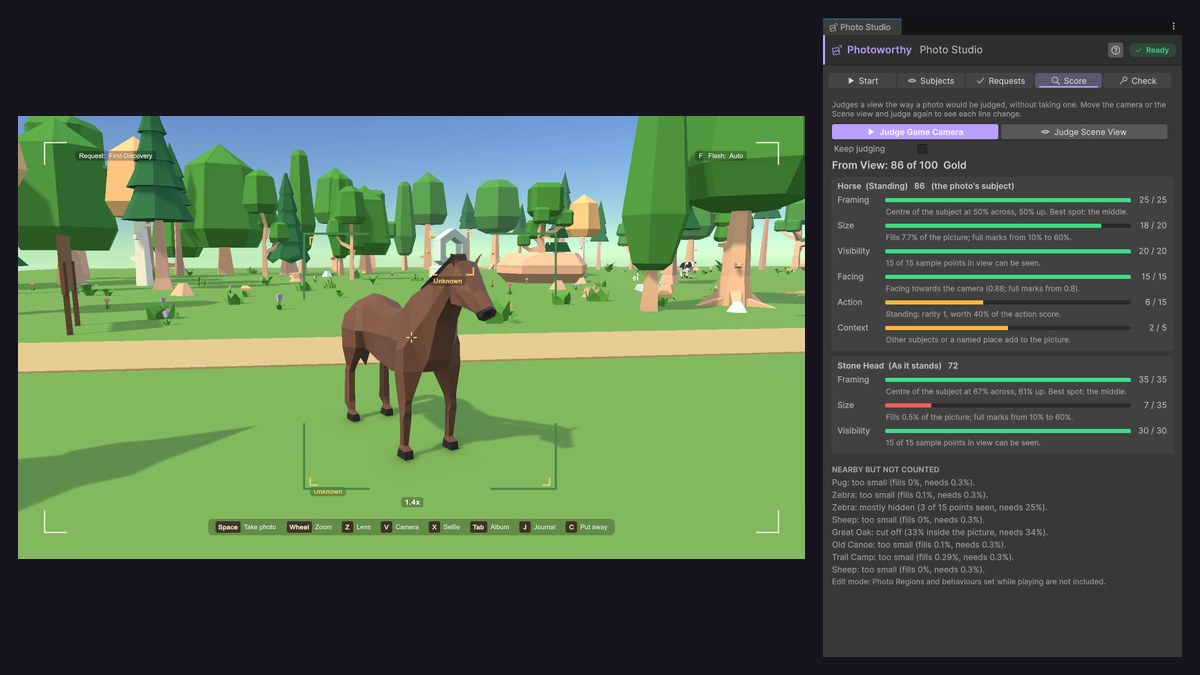
- Six criteria, each with its points and a plain reason
- Medals and rarity tiers
- Eight presets, from wildlife to landmarks
- Or no scoring at all
Photo quests
- Requests from 18 kinds of rule, with AND and OR
- "A zebra at the pond", "any animal mid-jump"
- Completed requests raise an event for your game
- No code needed
Journal and album
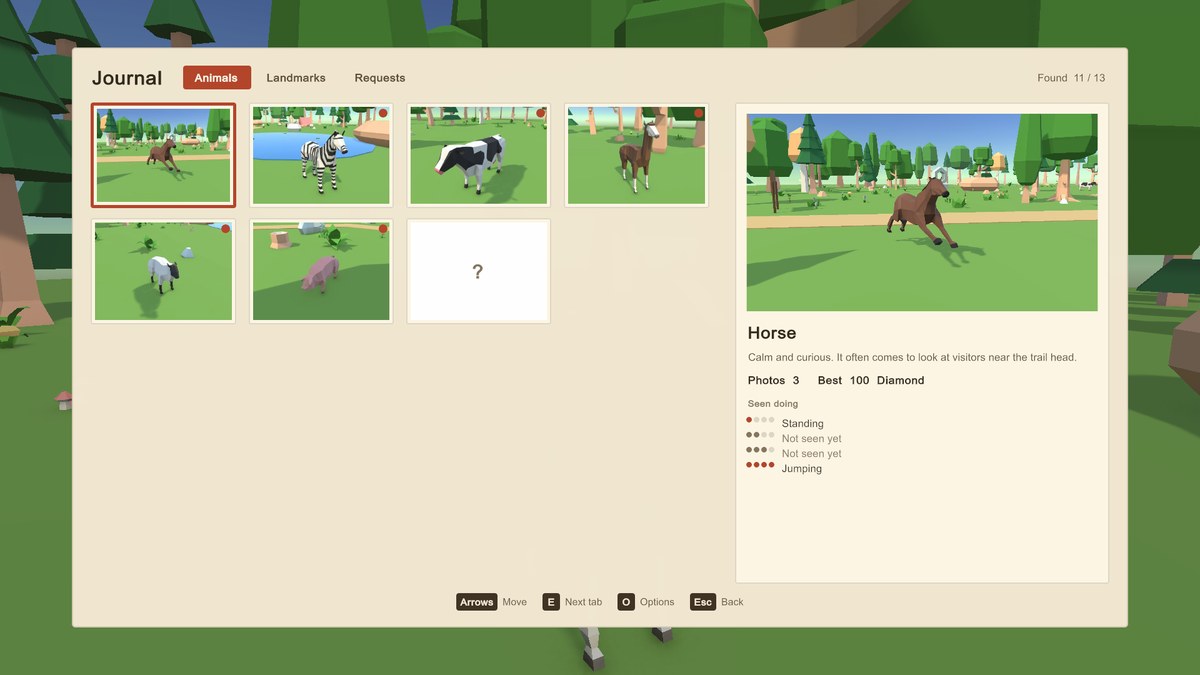
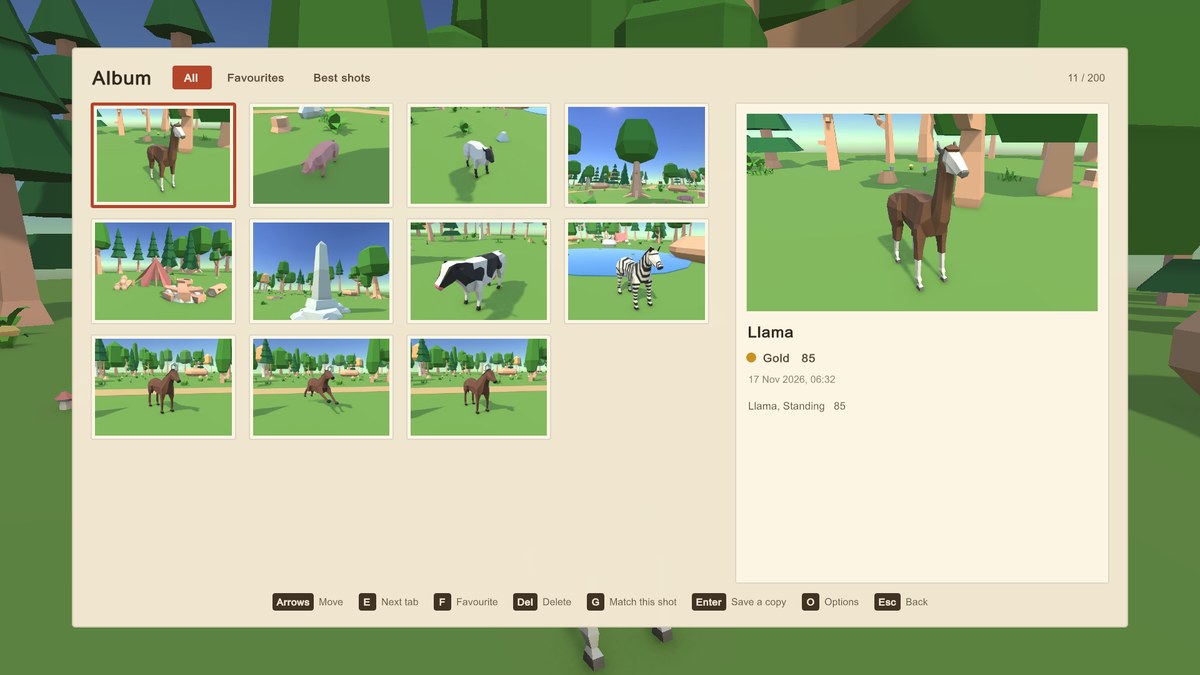
- Discoveries, behaviours seen and best shots
- Real picture files, up to 2160p, in eight shapes
- Favourites, delete and save a copy
- Saved safely, off the main thread
Player screens, ready to use
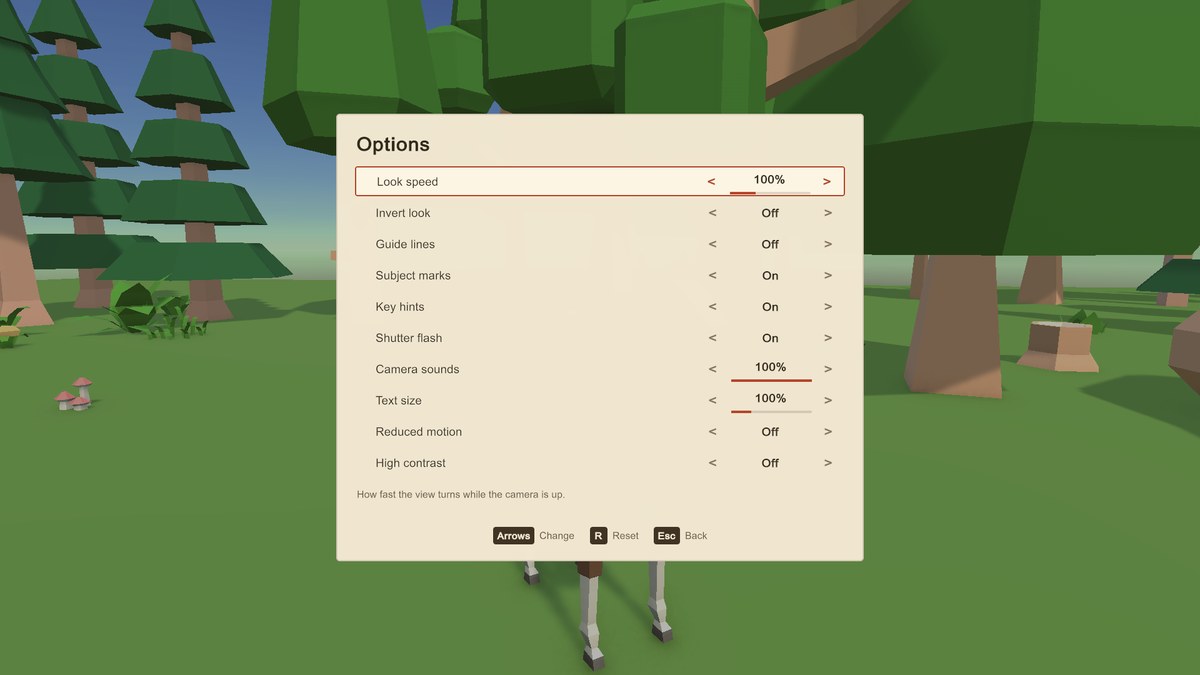
- Viewfinder, result, album, journal, requests and options
- Six ways to show a photo after the shutter, with a switch for every stat
- Three looks, each fully editable
- Keyboard, mouse and gamepad, with hints that follow the device
- Text size, reduced motion and high contrast
Made to be changed
Fits any game- Seven starting points: photo safari, photo quests, stealth evidence, camera as a weapon, photo mode only, scrapbook, or fully headless.
- Every step can be switched off or replaced: capture, recognition, scoring, what is kept, and every screen.
- The Photo Studio: set up, build requests, see exactly why a view scores what it does, and check the scene for mistakes with one-click fixes.
Included demo scenes
A wildlife trail and a lab to learn in
Meadow Trail has nine animals, six landmarks, six photo requests and a journal to fill. Creator Lab has one station for each idea.
Technical details
Built to fit your project
| Unity | 6000.0.85f1 or newer (tested on 6000.0, 6000.3 and 6000.6) |
|---|---|
| Render pipelines | Built-in, URP and HDRP, with the same lens effects in all three |
| Input | Input Manager, the Input System package (with gamepad), or your own |
| Dependencies | None. The screens use UI Toolkit, which is part of Unity |
| Photos | JPG or PNG files in the game's save location, written off the main thread |
| Source | Full C#, no third-party code, no native plugins |
| Menu | Tools > Photoworthy |
Good to know
Limits, stated up front
- Recognition uses colliders to tell what is hidden. Things that should hide a subject need a collider.
- Photos are local to each player. To share a result in multiplayer, send what you need over your own network code.
- Photo mode photos do not count for progress by default, so players cannot freeze time for a perfect shot. One switch changes that.
Status
- Photoworthy is in its final checks before submission to the Asset Store.
Hear the day it launches
Join the Rare Geometry Discord for launch news, or ask a question about Photoworthy now.
More from Rare Geometry
Other tools, built to the same standard