Coming soon
Coming soon to the Unity Asset Store

Bearing
Compass, minimap, world markers and a full-screen map built from your level, with routes that follow your roads, fast travel, fog of war and floors for buildings. Calm by default, styled your way.
- Unity 6000.0+
- Built-in, URP & HDRP
- Both input systems
- Full C# source
How it works
Navigation in your scene in three steps
-
Run the Setup Wizard
It checks your scene for a camera and a player and adds the HUD, with one click for anything missing.
-
Mark your places
Add a Waypoint to a landmark, a quest giver or a door, or add them all from the Chart Table. Pick an icon, a state and when it shows.
-
Bake the map and press Play
The map is traced from your level's geometry: roads, water, buildings and coast. Press M for the full map.
Features
Everything a player needs to find their way
A map built from your level
No overhead camera- Traced from geometry: roads, rivers, bridges, buildings and coast, in a clean map style.
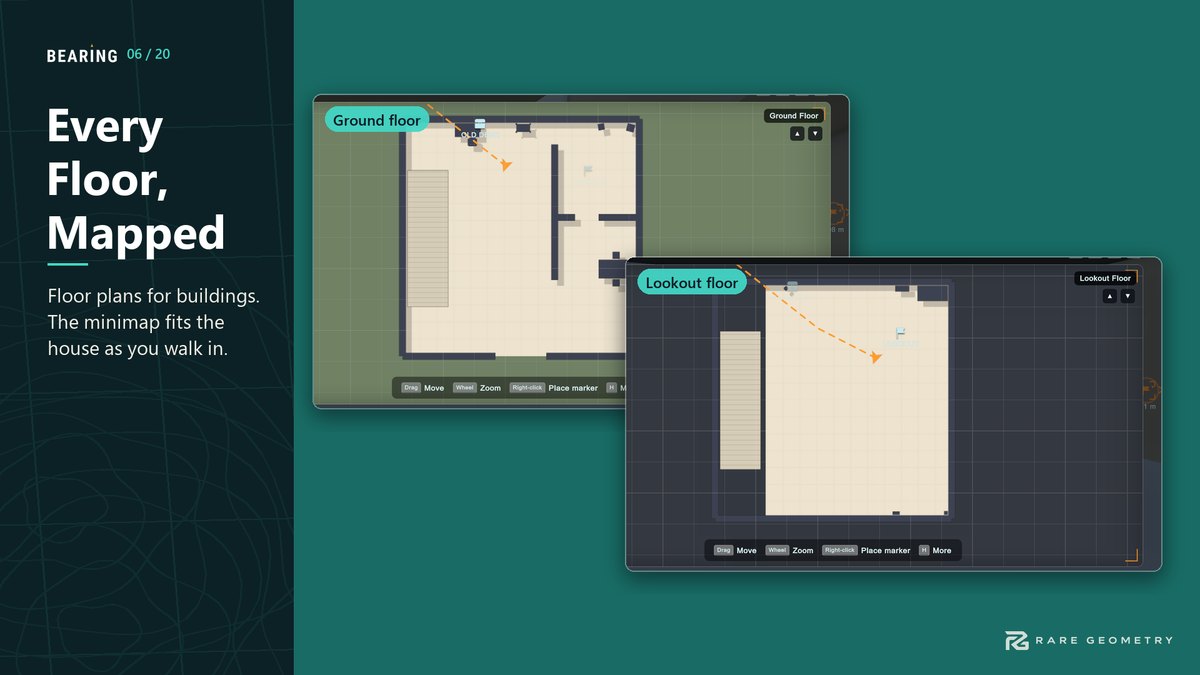
- Floors for buildings: floor plans that switch as the player climbs; the minimap fits the building on entry.
- No hard edges: past the map's edge the world carries on, or the view stops at it, or a themed surround frames it.
Compass and minimap
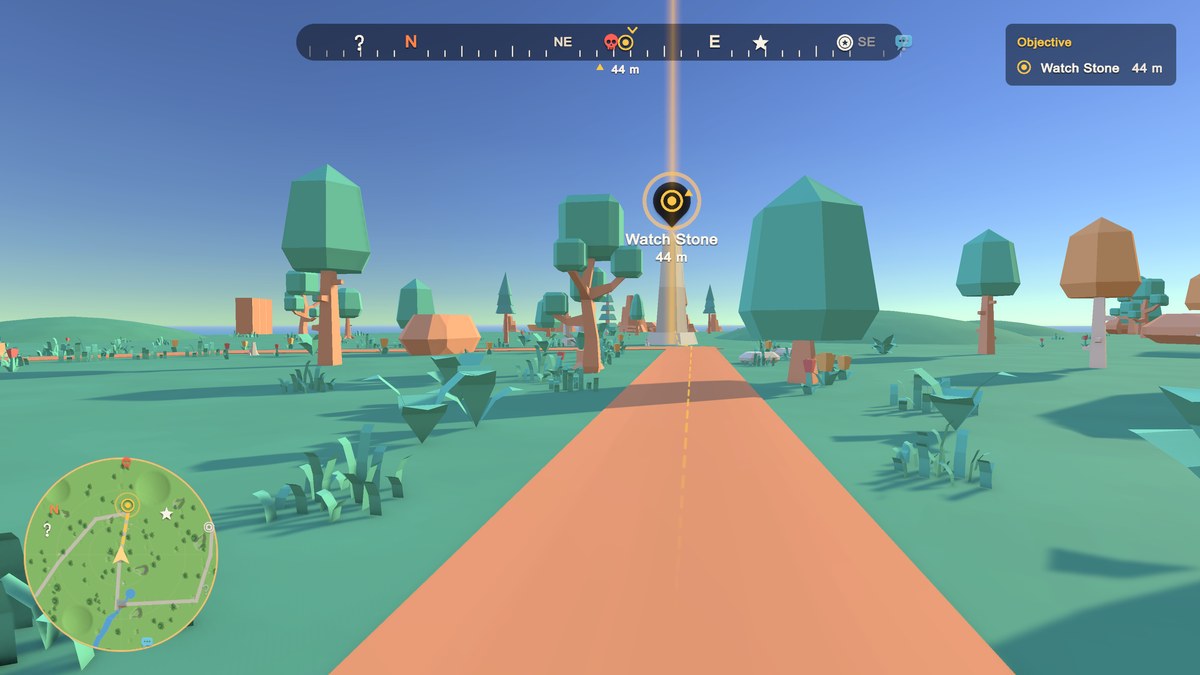
- Places, objectives and distances on the compass
- Bar, Open Rail, Fantasy and Sci-fi frames, straight or curved
- Turning or north-up minimap with route and moving entities
- Open water mode that points to the nearest shore
The full map
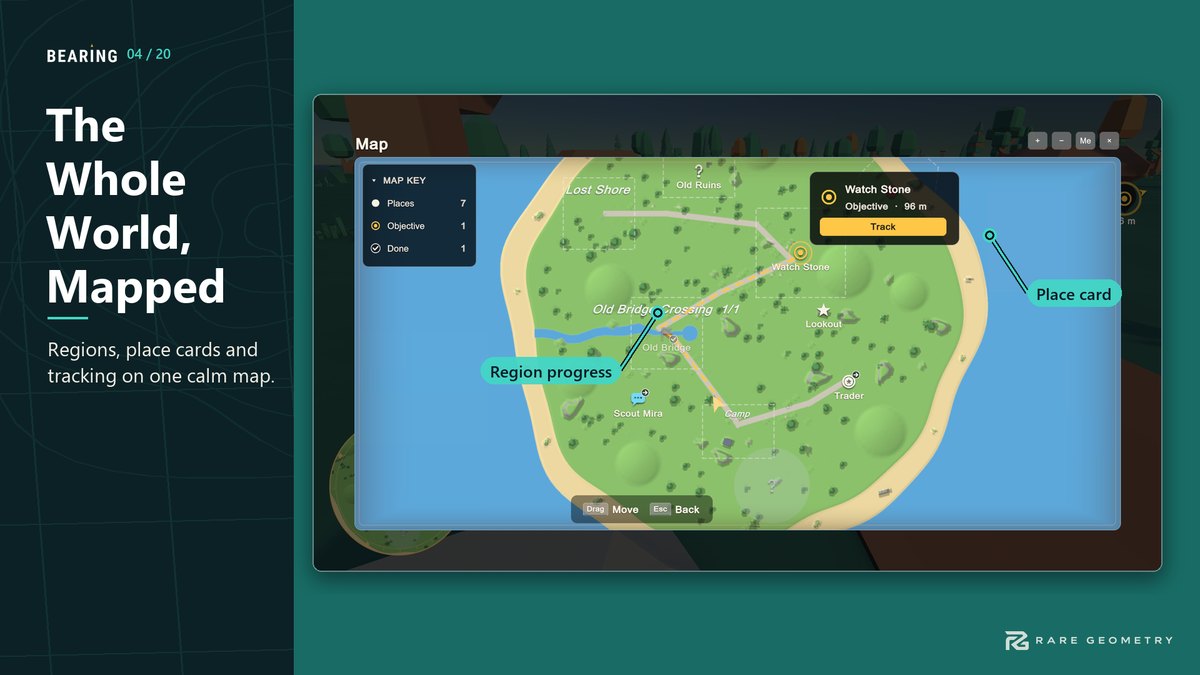
- Regions in any shape, with progress
- Place cards with Track and Fast travel
- Search and a folding map key
- Player pins and stamps: name, icon, colour, move, delete
Routes and travel
- Routes that keep to roads and trails
- Shown on the ground, the minimap, the map and the compass
- Fast travel lands a few steps away, facing the place, on clear ground
Discovery
- Fog of war that clears as players explore
- Lookouts that uncover the land around them
- Discovery banners and reveals
- A world scan that lights up what is near
Calm by default, yours to change
- Only the objective and nearby places show
- Four looks: Explorer, Tactical, Minimal and Holo
- In-game options with reduced motion, text size, high contrast and colour-blind palettes
- Mouse, gamepad and touch; 4:3, 21:9 and portrait layouts
Built for your project
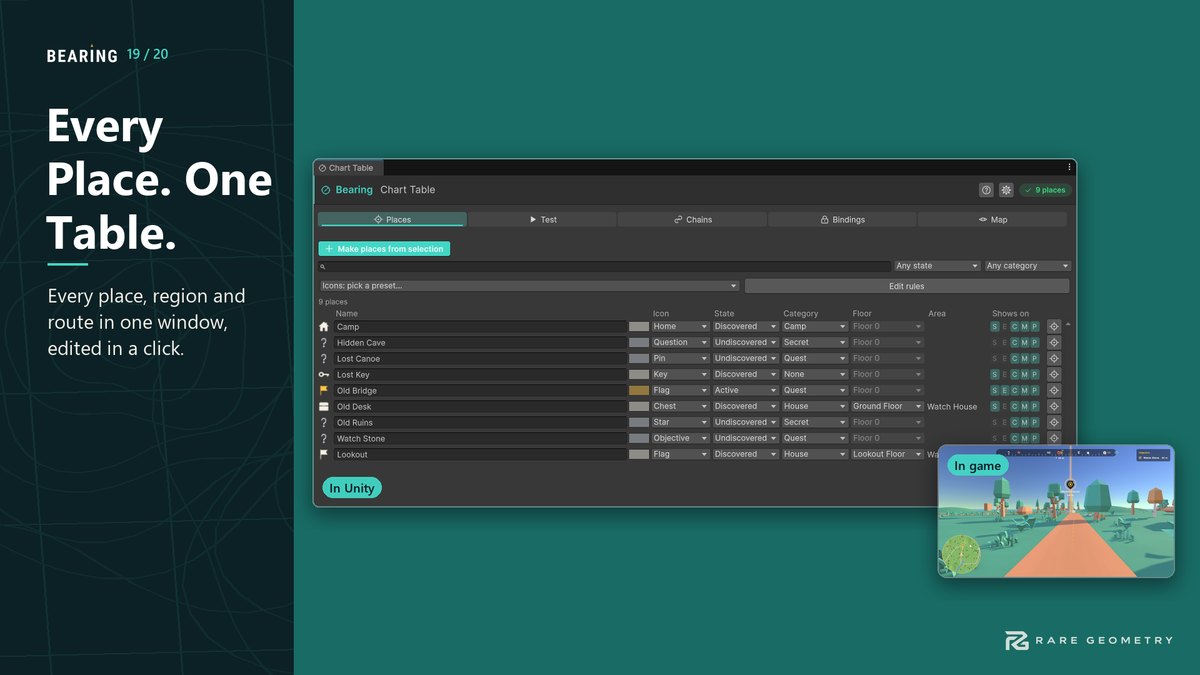
Editor tools- Chart Table: every place, region and route in one window.
- Setup Wizard: checks your scene and adds what is missing.
- Moving entities and sharing: trails, last known positions, shared pins and pings (Netcode for GameObjects sample).
Included demo scenes
Play it in your browser, then in Unity
An island with regions, boats and a lookout; a valley with a two-floor house and fast travel; and a top-down 2D level.
Technical details
Built to fit your project
| Unity | 6000.0 or newer (tested on 6000.0, 6000.3 and 6000.6) |
|---|---|
| Render pipelines | Built-in, URP and HDRP (the HUD is UI Toolkit) |
| Input | Input Manager and the Input System package |
| Platforms | Windows (Mono and IL2CPP), Android and Web (tested) |
| Optional | Netcode for GameObjects, for the shared markers sample |
| Source | Full C#, no third-party code, no native plugins |
| Menu | Tools > Bearing |
Good to know
Limits, stated up front
- The traced map draws what your level's geometry shows. A photo from above or your own picture works too.
- A 2D Tilemap isn't traced automatically: use a photo from above or your own picture.
- Shared markers work through any network; the included adapter is for Netcode for GameObjects.
Status
- Bearing is in its final checks before submission to the Asset Store. Its documentation goes up here the day it launches.
Hear the day it launches
Join the Rare Geometry Discord for launch news, or ask a question about Bearing now.
More from Rare Geometry
Other tools, built to the same standard